- Make sure you have downloaded the latest Syllabus
- Access the new entry system here by clicking here.
- Create the individuals that you will be entering
- Once the individual/s have been created, click ENTER to add the individual to a class
- If you know the class number (which can be found in the Syllabus), you can search directly for it, or you can browse through the Sections and classes to find the class.
- Click add to basket
- Once the class is added to the shopping basket, you may select additional classes for that entrant, or you can select another entrant and process them in the same way.
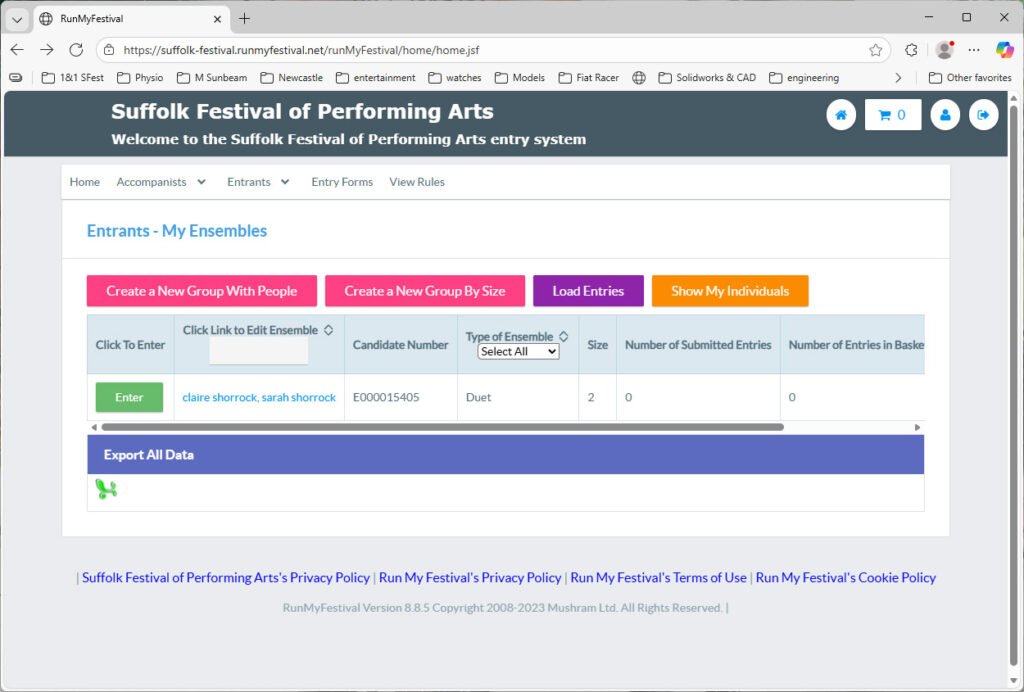
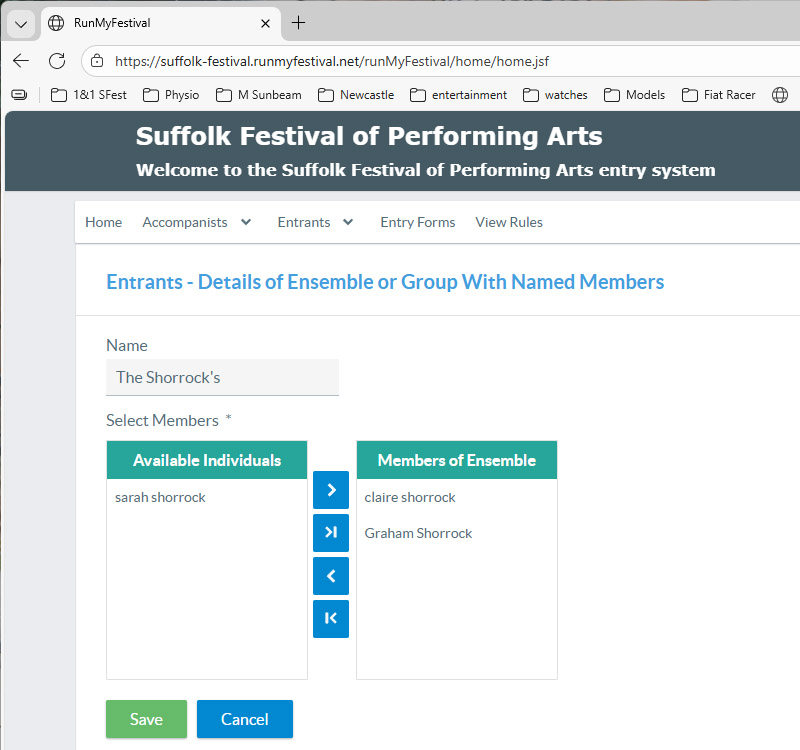
- If you are entering classes with more than one performer, make sure you create the performers first. This can be named individuals or a group of performers for a choir, etc. Once the individuals have been created, you can then add them to the ensemble. It is only after this step that the appropriate classes will be visible.
- When you have completed the entries, you can check out and make your payment.
- Payments can be made from a PayPal account or select pay by Credit or Debit card if you don’t wish to have a PayPal account
The screenshots below show creating an ensemble and then the Enter screen
Press the Enter button to see the ensemble classes available.